Stop Payment Fraud: A Verification Playbook for Invoices and Wires

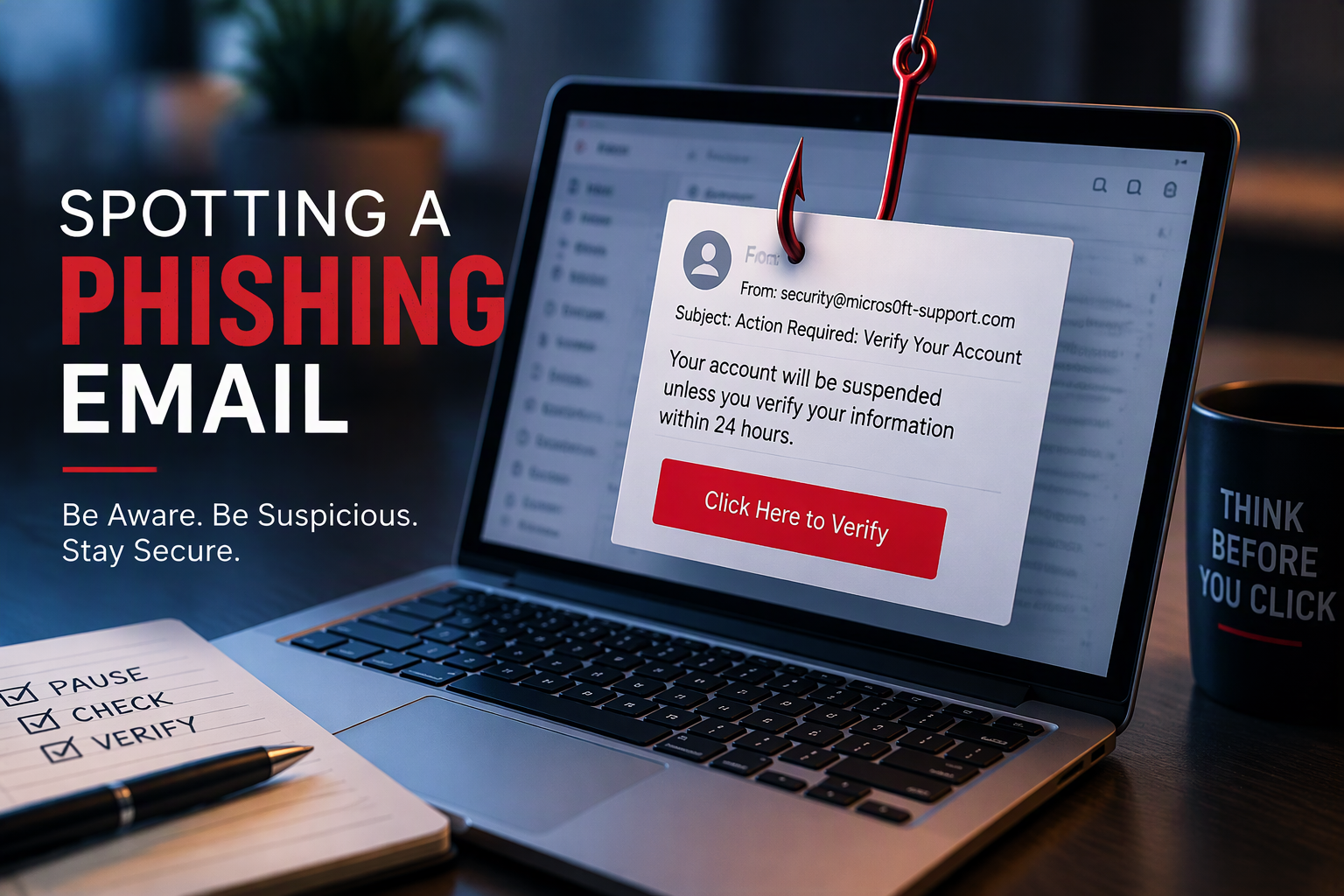
The email looks completely normal. It comes from a vendor you have paid for years and mentions a real invoice. It politely says their bank has changed and asks you to update the account details before the next payment. Nothing about it feels like a hack, and that is exactly why it works. This kind of scam is called business email compromise (BEC). It relies less on malware and more on a busy person doing their job quickly. The good news is that a few simple habits stop most of these attempts cold.
How payment fraud usually happens
Knowing the common patterns makes them much easier to spot. Most payment scams fall into a handful of familiar setups:
- Vendor bank change requests: A message, often from a real vendor's hacked mailbox, asks you to send future payments to a new account.
- Executive impersonation: Someone posing as the owner or CFO urgently asks for a wire, gift cards or a confidential transfer, often "while traveling" or "in a meeting."
- Payroll diversion: An email that appears to come from an employee asks HR to change where their direct deposit goes.
- Lookalike domains: The sender address is one character off from the real one, such as a swapped letter or an added word.
- Thread hijacking: An attacker who has access to a mailbox replies inside a real, ongoing conversation, so the context looks legitimate.
Tip 1: Make call-back verification non-negotiable
This is the single most effective control, and it costs nothing. Any request to change payment details, or to send an unusual payment, gets verified by phone before anyone acts on it.
- Call a phone number you already have on file, from a past contract, your vendor master list or the company's official website. Never use a number in the email asking for the change.
- Speak to a person you know, or to the vendor's accounts receivable team, and confirm the specific change.
- Document who you spoke to, when, and what was confirmed.
- Only then update the record in your accounting system.
Write this down as policy so staff never feel awkward about "bothering" a vendor or an executive. A legitimate partner will appreciate the caution.
Tip 2: Require two people for money movement
Separation of duties is an old accounting principle that works well against modern scams.
- Have one person enter or change vendor banking details and a different person approve them.
- Require dual approval for wires and ACH payments above a threshold that makes sense for your business.
- Turn on approval workflows in your banking portal and accounting software if they are available.
- Ask your bank about fraud tools such as Positive Pay or ACH debit blocks.
Tip 3: Treat urgency and secrecy as red flags
Scammers rely on pressure. Train your team to slow down when they see any of these:
- "This needs to go out today" or "before the bank closes."
- "Keep this confidential" or "don't mention this to anyone yet."
- Requests for gift cards, cryptocurrency or payments to a personal account.
- A sudden change in tone, signature or writing style from someone you know well.
- A new bank in a different state or country from where the vendor normally operates.
A simple rule for everyone: urgent plus money plus a change equals stop and verify.

Tip 4: Tighten your email defenses
Process controls catch what technology misses, but good email security reduces how many fake messages reach your team in the first place.
Protect your own domain
- Set up SPF, DKIM and DMARC records so other mail servers can recognize messages that falsely claim to come from your domain. Work toward an enforcing DMARC policy over time.
- Consider registering common misspellings of your domain if impersonation is a concern.
Protect your mailboxes
- Require multi-factor authentication (MFA) on every Microsoft 365 or email account, and favor phishing-resistant methods like authenticator apps with number matching or security keys.
- Enable external sender tagging so messages from outside your organization are clearly labeled.
- Review mailboxes for suspicious forwarding or inbox rules. Attackers often create rules that hide replies or forward invoices elsewhere.
- Block or alert on automatic forwarding to outside addresses unless there is a business reason for it.
Tip 5: Know what to do in the first hour
If money has already gone out, speed matters. Keep these steps where your finance team can find them:
- Call your bank immediately and ask them to attempt a recall of the transfer.
- File a report with the FBI's Internet Crime Complaint Center at ic3.gov.
- Contact your IT or security provider so they can check for compromised accounts and secure them.
- Notify your cyber insurance carrier, following the steps in your policy.
- Warn the affected vendor or employee through a known, trusted channel.
Tip 6: Check your cyber insurance fine print
Coverage for social engineering and funds-transfer fraud varies widely between policies. Some carriers limit or exclude it, and some expect documented verification procedures to be in place. Review your policy with your broker so you know what is covered and what controls you are expected to follow.
How Streamline Networks can help
Since 2001, Streamline Networks has helped businesses across Georgia and the US protect the people and processes that keep money moving. From our base in Gainesville, we combine practical policy guidance with layered technology, all for one transparent monthly rate.
- Email security: Advanced filtering, impersonation protection, and proper SPF, DKIM and DMARC configuration for your domain.
- Microsoft 365 hardening: MFA rollout, conditional access, external tagging and alerts for risky forwarding rules.
- Managed SOC and 24/7 monitoring: Our team watches for suspicious sign-ins and mailbox activity around the clock.
- Security awareness training: Short, practical lessons and simulated phishing that help your finance and HR teams recognize payment scams.
- Dark web monitoring: Alerts when employee credentials show up in known breach data, so passwords can be changed quickly.
- Cyber-insurance readiness: Help documenting the controls carriers commonly ask about.
Ready to tighten up your payment security? Get a quote or call 678-450-2400 today.